
Note
Go to the end to download the full example code.
TextBlock2D Alignment and Justification#
First, a bunch of imports
from fury.ui import TextBlock2D
from fury.window import (
    Scene,
    ShowManager,
)
Creating a Scene
scene = Scene()
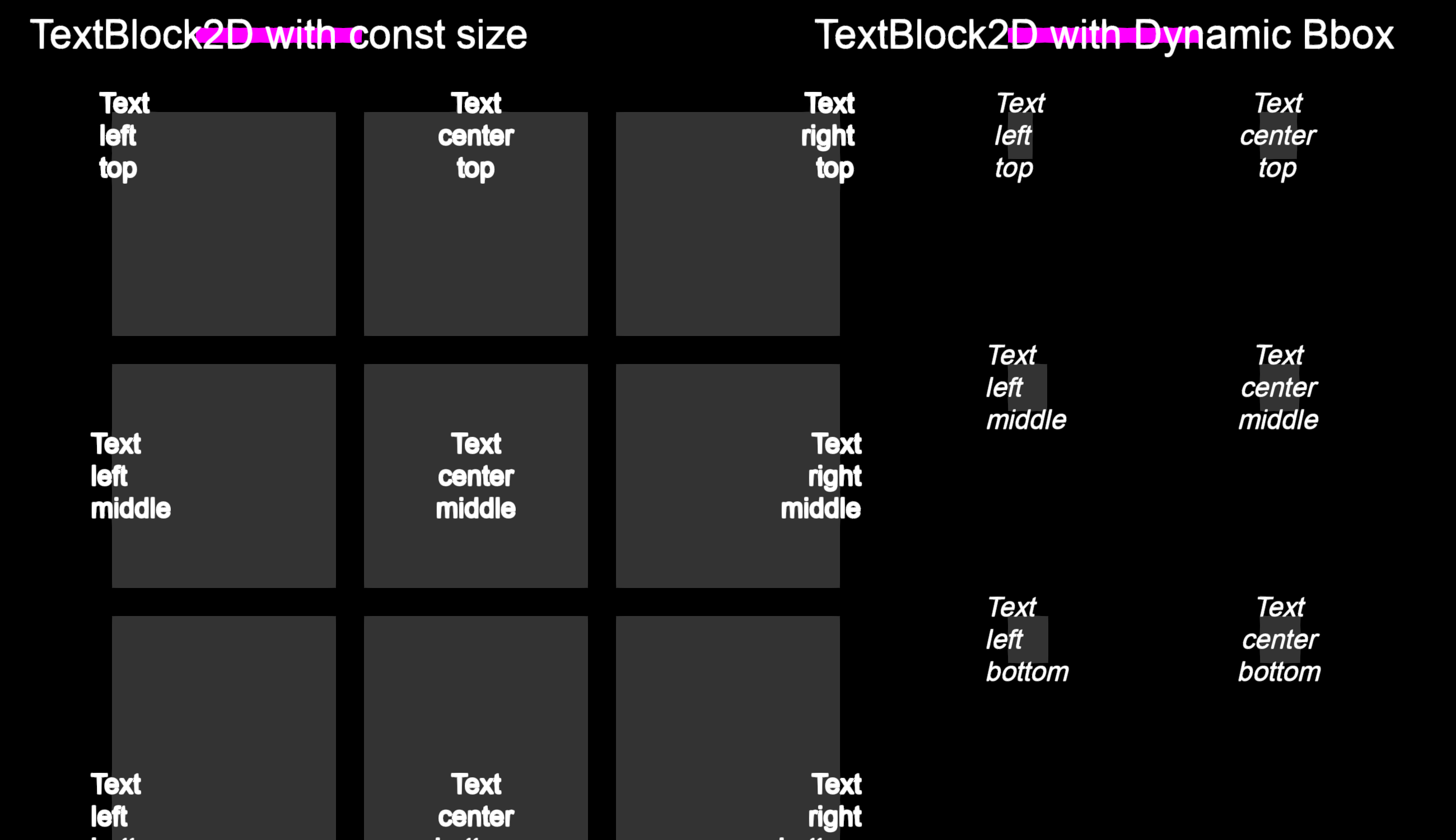
Let’s create a grid of 3x3 TextBlock2D elements to demonstrate different justifications.
text_blocks = []

grid_x_start = 100
grid_y_start = 100
grid_gap = 225


justifications = ["left", "center", "right"]
vertical_justifications = ["top", "middle", "bottom"]

for i in range(3):
    for j in range(3):
        v_just = vertical_justifications[i]
        h_just = justifications[j]
        pos_x = grid_x_start + j * grid_gap
        pos_y = grid_y_start + i * grid_gap

        text_content = f"Text\n{h_just}\n{v_just}"

        tb1 = TextBlock2D(
            text=text_content,
            position=[pos_x, pos_y],
            font_size=24,
            color=(1, 1, 1),
            bg_color=(0.2, 0.2, 0.2),
            size=(200, 200),
            justification=h_just,
            vertical_justification=v_just,
            bold=True,
        )

        text_blocks.append(tb1)

        tb2 = TextBlock2D(
            text=text_content,
            position=[pos_x + 800, pos_y],
            font_size=24,
            color=(1, 1, 1),
            bg_color=(0.2, 0.2, 0.2),
            size=(200, 200),
            justification=h_just,
            vertical_justification=v_just,
            dynamic_bbox=True,
            italic=True,
        )

        text_blocks.append(tb2)

scene.add(*text_blocks)
Add title text blocks
title_text_1 = TextBlock2D(
    text="TextBlock2D with const size",
    position=(175, 25),
    font_size=36,
    color=(1, 1, 1),
    bg_color=(1, 0, 1),
    dynamic_bbox=True,
)
title_text_2 = TextBlock2D(
    text="TextBlock2D with Dynamic Bbox",
    position=(900, 25),
    font_size=36,
    color=(1, 1, 1),
    bg_color=(1, 0, 1),
    dynamic_bbox=True,
)
scene.add(title_text_1, title_text_2)


current_size = (1300, 750)
show_manager = ShowManager(
    scene=scene,
    size=current_size,
    title="FURY TextBlock2D Justification Example",
)
show_manager.start()
Total running time of the script: (0 minutes 0.264 seconds)