
Note
Go to the end to download the full example code.
Impostor and Mesh Ellipsoids#
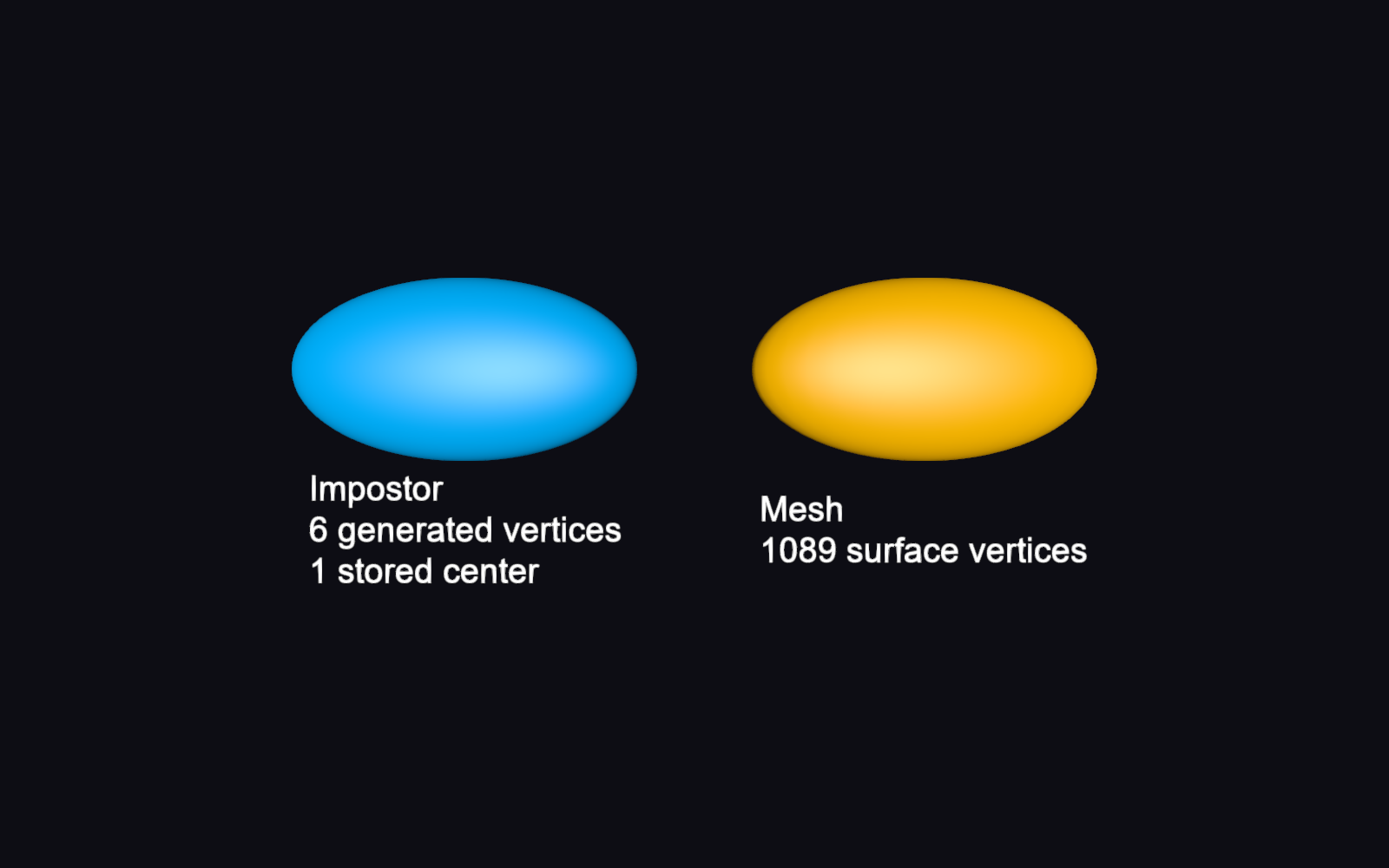
This tutorial creates two ellipsoids with the same shape. The left ellipsoid uses a shader-based impostor; the right one uses a tessellated triangle mesh. Both represent a 3D ellipsoid, but only the mesh stores its surface as vertices and faces.
The impostor path warns about its different geometry, tessellation, and picking.
Use impostor=False when mesh vertices, faces, or face coordinates are needed.
Run this script to open the interactive scene.
import numpy as np

from fury import actor, window
Define the shape. lengths are semi-axis lengths, not diameters: these
ellipsoids have full axis lengths of 3.0, 1.6, and 1.0. The columns of the
orientation matrix define the local axis directions; identity aligns them
with X, Y, and Z.
lengths = (1.5, 0.8, 0.5)
orientation = np.eye(3)
centers = np.array([[0.0, 0.0, 0.0]])
Create the impostor ellipsoid on the left. The shader calculates the surface
analytically instead of generating a dense mesh. impostor=True is the
default, but we specify it here to make the comparison explicit.
impostor = actor.ellipsoid(
    centers=centers,
    orientation_matrices=orientation,
    lengths=lengths,
    colors=(0.0, 0.7, 1.0),
    impostor=True,
)
impostor.local.position = (-2.0, 0.0, 0.0)

impostor.add_event_handler(
    lambda event: print(f"Pointer moved in impostor to: {event.x}, {event.y}"),
    "pointer_move",
)
impostor=True uses analytic billboard ellipsoids instead of a triangle mesh: phi and theta are ignored, and picking returns glyph_index instead of mesh face coordinates. Use impostor=False for mesh behavior.

<function <lambda> at 0x0000026ABA6A91C0>
Create the mesh ellipsoid on the right. phi and theta control its
tessellation and only affect the mesh branch. Use this branch when you need
surface vertices and faces or mesh-specific appearance controls.
mesh = actor.ellipsoid(
    centers=centers,
    orientation_matrices=orientation,
    lengths=lengths,
    colors=(1.0, 0.5, 0.0),
    impostor=False,
    phi=32,
    theta=32,
)
mesh.local.position = (2.0, 0.0, 0.0)
mesh.add_event_handler(
    lambda event: print(f"Pointer moved in mesh to: {event.x}, {event.y}"),
    "pointer_move",
)
<function <lambda> at 0x0000026ABA885B20>
Count the vertices used by each rendering method. Each impostor draws two
triangles (six generated vertices), but stores only its center and parameters.
The mesh count comes from its actual position buffer and changes with
phi and theta.
impostor_vertices = 6 * impostor.glyph_count
impostor_centers = impostor.geometry.positions.nitems
mesh_vertices = mesh.geometry.positions.nitems

labels = actor.text(
    [
        f"Impostor\n{impostor_vertices} generated vertices\n"
        f"{impostor_centers} stored center",
        f"Mesh\n{mesh_vertices} surface vertices",
    ],
    position=[(-2.0, -1.4, 0.0), (2.0, -1.4, 0.0)],
    colors=(1.0, 1.0, 1.0),
    font_size=0.3,
    anchor="middle-center",
)

scene = window.Scene()
scene.background = (0.05, 0.05, 0.08)
scene.add(impostor, mesh, labels)
Open the interactive window when running the script directly.
if __name__ == "__main__":
    show_m = window.ShowManager(
        scene=scene, size=(800, 500), title="Impostor and Mesh Ellipsoids"
    )
    try:
        show_m.start()
    finally:
        show_m.close()
Total running time of the script: (0 minutes 0.186 seconds)