
Note
Go to the end to download the full example code.
Billboard vs Geometry Spheres#
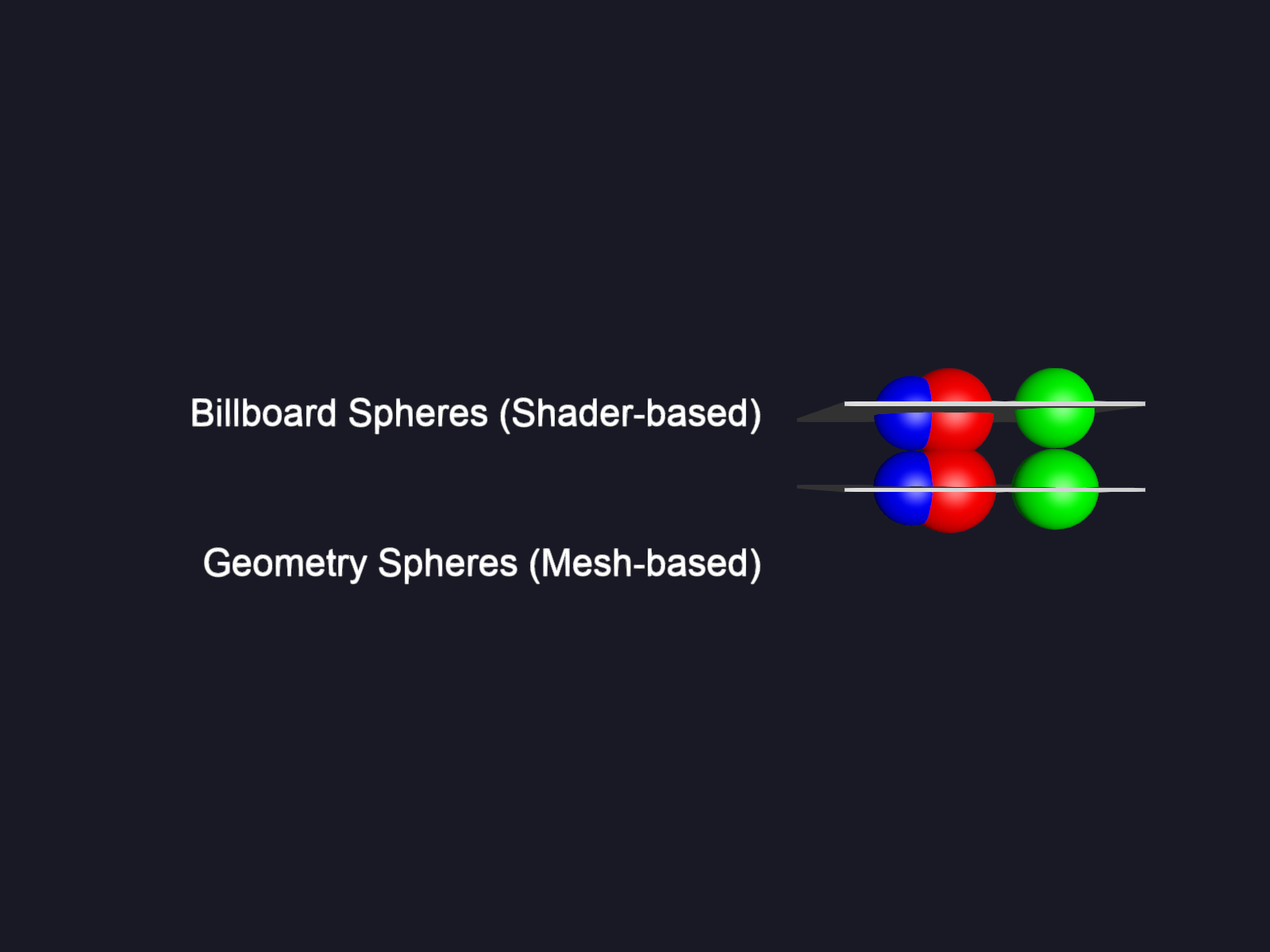
This example demonstrates the difference between billboard-based sphere impostors and traditional geometry-based spheres. Billboard spheres are rendered as textured quads that always face the camera, making them more efficient for rendering many spheres at a distance.
import numpy as np

from fury import actor, window
Create sphere data with positions, colors, and radii.
Create billboard spheres (shader-based impostors). These are rendered as textured quads that face the camera.
Create geometry-based spheres (traditional mesh). These are actual 3D mesh spheres with vertices and faces.
geometry_spheres = actor.sphere(
    centers=centers + np.array([[0, -2, 0]]),
    colors=colors,
    radii=radii,
    opacity=1,
    impostor=False,
)
Create descriptive text labels to identify each type.
billboard_text = actor.text(
    "Billboard Spheres (Shader-based)",
    position=[-5, 0, 0],
    colors=(1, 1, 1),
    anchor="middle-right",
)

geometry_text = actor.text(
    "Geometry Spheres (Mesh-based)",
    position=[-5, -4, 0],
    colors=(1, 1, 1),
    anchor="middle-right",
)
Add ground planes for visual reference.
ground_top = actor.box(
    centers=np.array([[0, 0, 0]]), colors=(0.5, 0.5, 0.5), scales=(7, 0.1, 7)
)

ground_bottom = actor.box(
    centers=np.array([[0, -2, 0]]), colors=(0.5, 0.5, 0.5), scales=(7, 0.1, 7)
)
Create scene and add all actors.
scene = window.Scene()
scene.background = (0.1, 0.1, 0.15)

scene.add(billboard_spheres)
scene.add(geometry_spheres)
scene.add(billboard_text)
scene.add(geometry_text)
scene.add(ground_top)
scene.add(ground_bottom)
Create and start the ShowManager.
show_m = window.ShowManager(
    scene=scene, size=(800, 600), title="Billboard vs Geometry Spheres"
)
show_m.start()
Total running time of the script: (0 minutes 0.190 seconds)