
Note
Go to the end to download the full example code.
UI Text Box#
This example demonstrates how to create and customize 2D Text Boxes using the FURY UI elements. We’ll explore different configurations such as single-line, multi-line, and styled text.
from fury.ui import TextBox2D
from fury.window import Scene, ShowManager
A Scene acts as a container for all our UI elements and 3D objects.
scene = Scene()
1. Simple Single-Line Text Box We define a basic text box with a specified width, height, and color (red).
textbox_single = TextBox2D(
    width=20,
    height=1,
    text="Single line",
    position=(50, 450),
    color=(1, 0, 0),
    font_size=20,
)
2. Multi-Line Text Box The text can span across multiple lines by using the newline character ‘n’. We also increase the height to accommodate the extra lines.
textbox_multi = TextBox2D(
    width=20,
    height=3,
    text="Multi-line\nText box",
    position=(50, 300),
    color=(0, 0, 1),
    font_size=25,
)
3. Static Text Box A standard text box that displays static text in black.
textbox_static = TextBox2D(
    width=20,
    height=2,
    text="Static Text box",
    position=(50, 200),
    color=(0, 0, 0),  # Black color
    font_size=20,
)
4. Styled Text Box We can customize the appearance by enabling bold, italic properties and setting the text justification to “center”.
textbox_styled = TextBox2D(
    width=20,
    height=2,
    text="Bold & Italic\nCenter justification",
    position=(50, 100),
    color=(0, 0.5, 0),  # Dark green color
    font_size=18,
    justification="center",
    bold=True,
    italic=True,
)
After configuring our UI elements, we must add them to the scene so they will be rendered on the screen.
scene.add(textbox_single)
scene.add(textbox_multi)
scene.add(textbox_static)
scene.add(textbox_styled)
ShowManager handles the window creation, interaction, and rendering loop.
current_size = (800, 700)
show_manager = ShowManager(
    scene=scene,
    size=current_size,
    title="FURY Text Box Example",
)
Finally, we start the interactive rendering loop to display our UI.
show_manager.start()
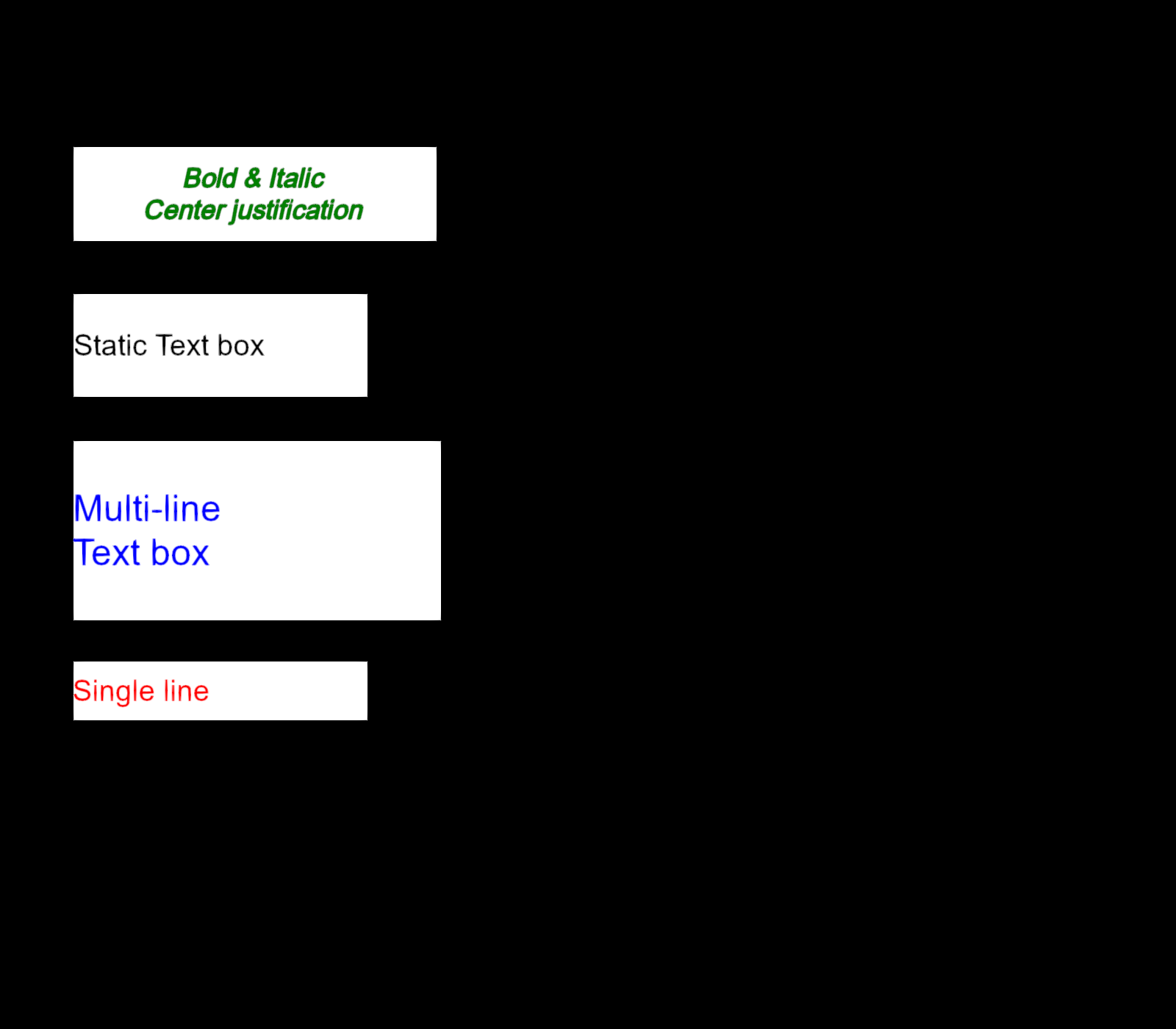
Total running time of the script: (0 minutes 0.160 seconds)