
Note
Go to the end to download the full example code.
ImageContainer2D#
This example demonstrates how to use the ImageContainer2D UI element
to display 2D images in the FURY rendering window. ImageContainer2D
supports various input formats including local image paths and raw NumPy arrays.
First, let’s import the necessary modules.
import numpy as np
from fury.ui import ImageContainer2D
from fury.window import Scene, ShowManager

from fury.data import fetch_viz_cubemaps, read_viz_cubemap
Fetch an existing image (a skybox texture) from FURY’s datasets to use as a file path input.
fetch_viz_cubemaps()
skybox_images = read_viz_cubemap("skybox")
texture_path = skybox_images[0]
Dataset is already in place. If you want to fetch it again please first remove the folder C:\Users\magor\.fury\cubemaps
Generate a 256x256 RGB image array with varying color gradients using NumPy.
Generate an RGBA image array, which includes an alpha channel for transparency.
Convert the RGB image into a single-channel grayscale image.
img_gray = (
    0.2989 * img_rgb[..., 0].astype(np.float32)
    + 0.5870 * img_rgb[..., 1].astype(np.float32)
    + 0.1140 * img_rgb[..., 2].astype(np.float32)
).astype(np.uint8)
Initialize a Scene and create an ImageContainer2D for each image type. Set the position to arrange them in a 2x2 grid on the window.
scene = Scene()

gray_container = ImageContainer2D(
    img_path=img_gray,
    position=(50, 450),
    size=(256, 256),
)

rgb_container = ImageContainer2D(
    img_path=img_rgb,
    position=(350, 450),
    size=(256, 256),
)

rgba_container = ImageContainer2D(
    img_path=img_rgba,
    position=(50, 100),
    size=(256, 256),
)

skybox_container = ImageContainer2D(
    img_path=texture_path,
    position=(350, 100),
    size=(256, 256),
)
Add all image containers to the scene.
scene.add(gray_container)
scene.add(rgb_container)
scene.add(rgba_container)
scene.add(skybox_container)
Create and start the ShowManager.
show_manager = ShowManager(
    scene=scene,
    size=(700, 800),
    title="FURY ImageContainer2D Example",
)
show_manager.start()
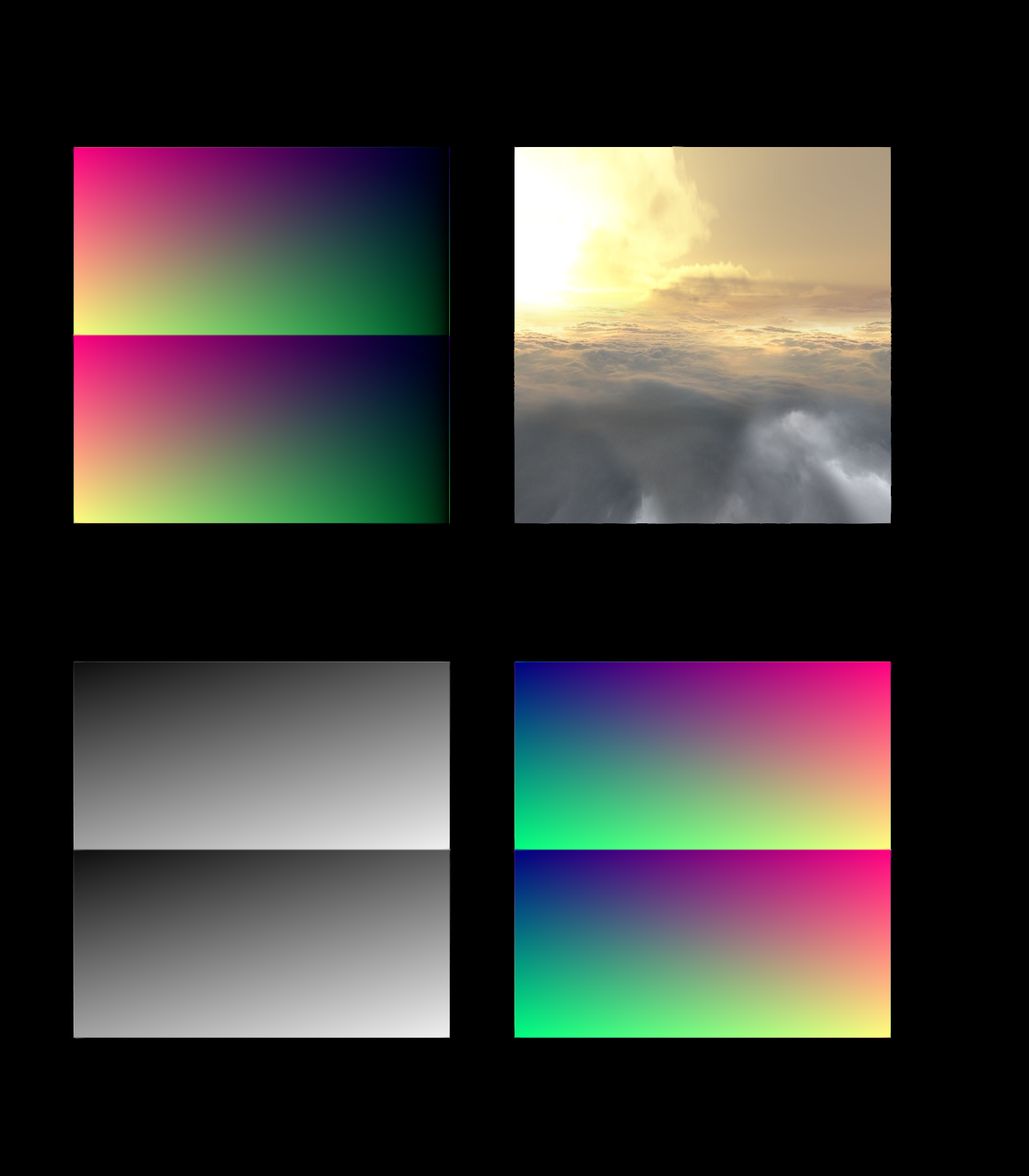
Total running time of the script: (0 minutes 0.231 seconds)