
Note
Go to the end to download the full example code.
Vector Field Visualization with Slicer Actor#
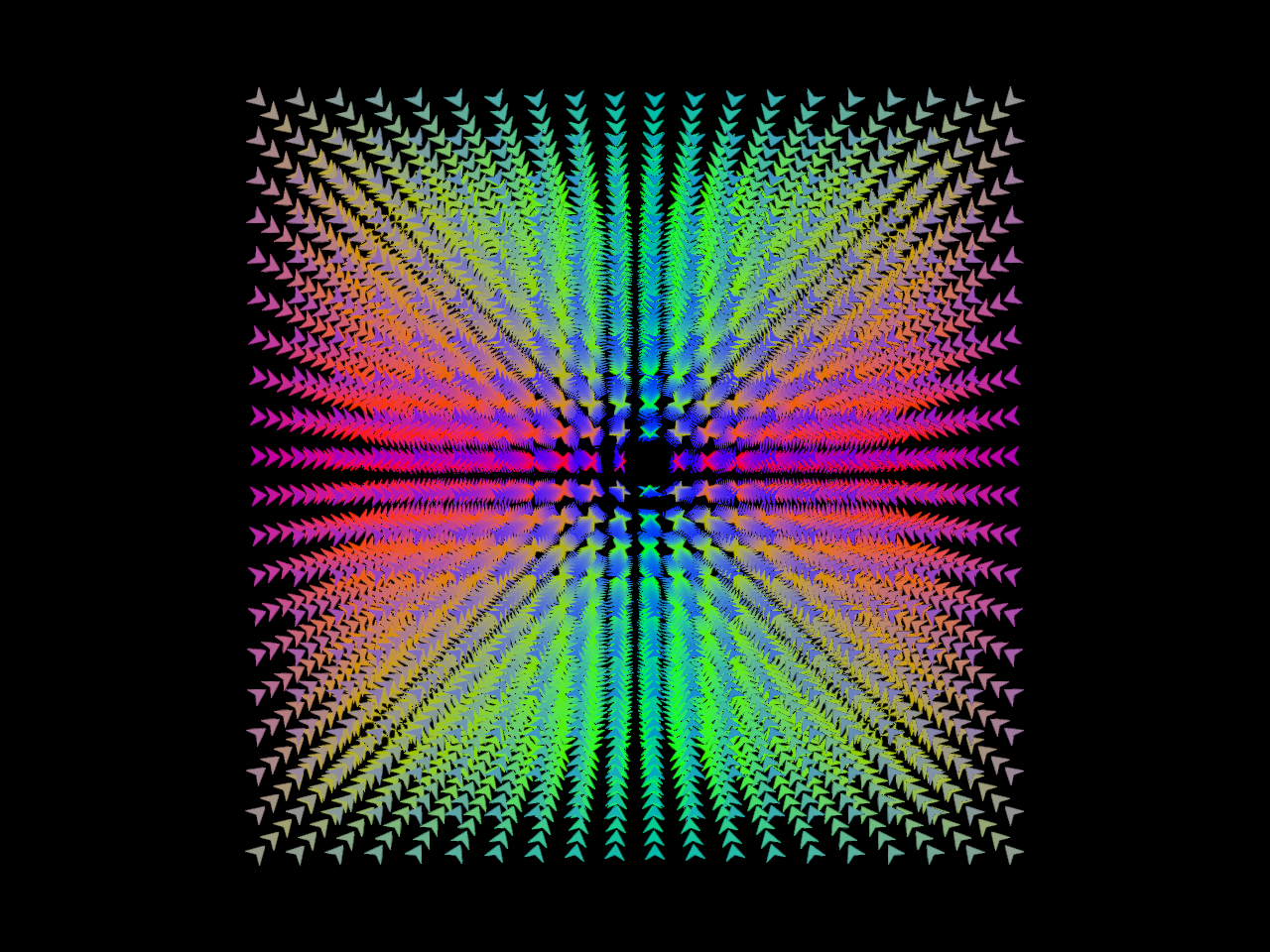
This example demonstrates how to visualize a vector field using vector field actor present in FURY. The vector field can be visualized using arrows, line or thin lines.
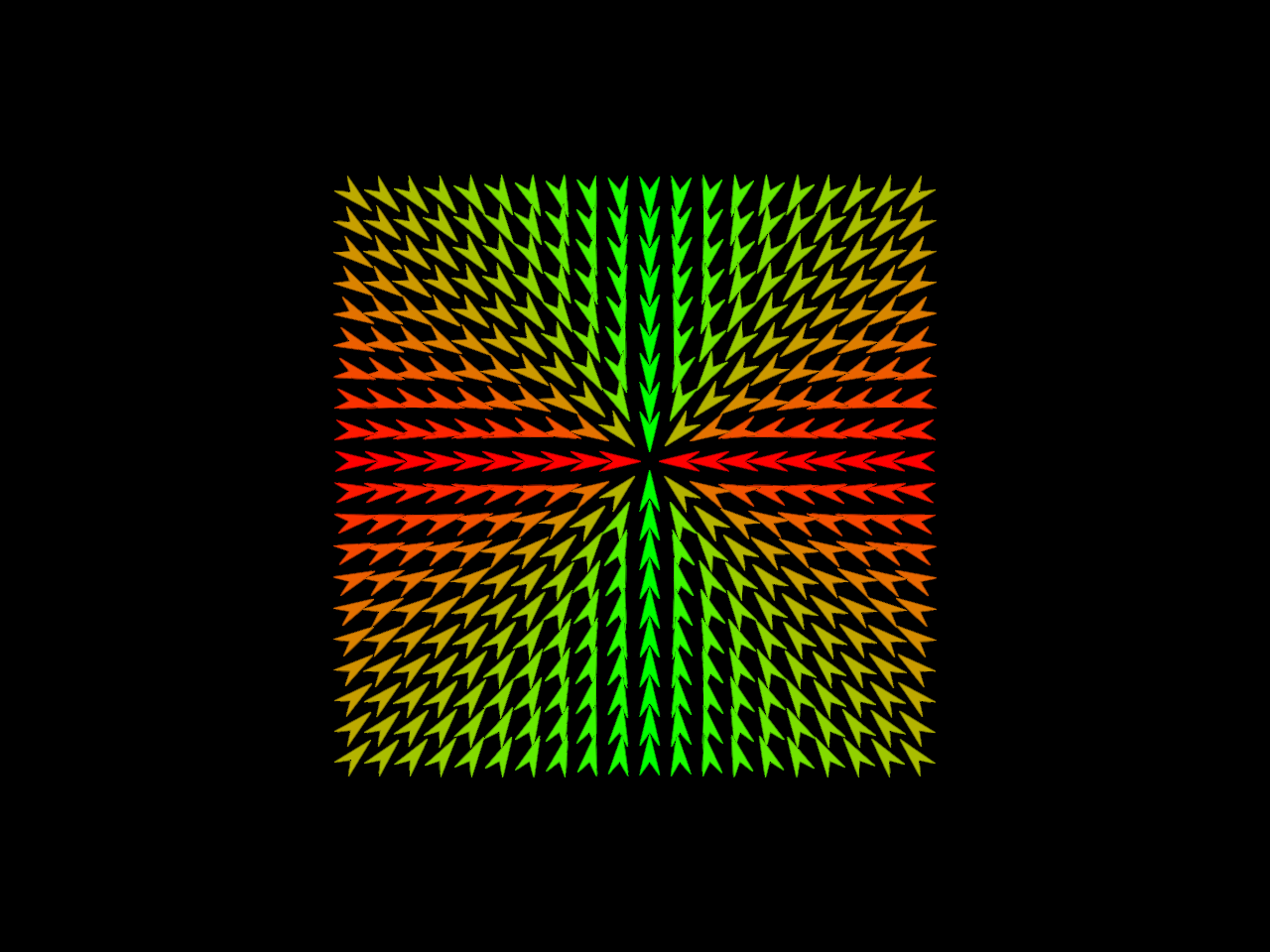
Later, we will use the cross-section of the vector field using vector field slicer actor.
To demonstrate we will create a diverging radial field and visualize it with arrows.
import numpy as np
from fury import actor, window
from fury.lib import EventType
Create a diverging radial vector field. we will create a 4D array to represent the vector field, where the last dimension contains the x, y, z components of the vector at each point in the grid. The grid will be 20x20x20, and we will fill it with vectors that point outward from the center of the grid.
Define a function to calculate the vector at a given point in the grid.
Fill the vector field with vectors calculated from the vector_function.
for i in range(0, X, sparse_step):
    for j in range(0, Y, sparse_step):
        for k in range(0, Z, sparse_step):
            vector_field[i, j, k] = vector_function(i, j, k)
Create a vector field actor to visualize the vector field.
vector_field_actor = actor.vector_field(
    vector_field,
    actor_type="arrow",  # Use 'arrow' for arrow visualization
    scales=0.2,  # Scale the vectors for better visibility
    thickness=10,  # Thickness of the vectors
)
Create a scene and add the vector field actor to it.
Create a show manager to render the scene.
show_manager = window.ShowManager(
    scene=scene, size=(800, 600), title="Vector Field Visualization"
)
show_manager.start()
Next, we will create a vector field slicer actor to visualize the cross-section of the vector field. The slicer will allow us to slice through the vector field and visualize the vectors in the sliced plane.
# We will use the Z slice of the vector field for this example. To, use that
# option we will set the visibility of the X and Y slices to False and Z slice
# to True.

vector_field_slicer_actor = actor.vector_field_slicer(
    vector_field,
    actor_type="arrow",  # Use 'arrow' for arrow visualization
    scales=0.7,  # Scale the vectors for better visibility
    thickness=10,  # Thickness of the vectors
    visibility=(False, False, True),
)
Add the vector field slicer actor to the scene.
scene.remove(vector_field_actor)  # Remove the original vector field actor
scene.add(vector_field_slicer_actor)

show_manager = window.ShowManager(
    scene=scene, size=(800, 600), title="Vector Field Slicer Visualization"
)
handle key events to move the cross-section of the vector field slicer.
def handle_key_event(event):
    print("Key pressed:", event.key)
    position = actor.get_slices(vector_field_slicer_actor)
    if event.key == "ArrowUp":
        position = (position[0], position[1], position[2] + sparse_step)
    elif event.key == "ArrowDown":
        position = (position[0], position[1], position[2] - sparse_step)

    actor.show_slices(vector_field_slicer_actor, position)
    show_manager.render()
Add event handler for key events to the show manager.
show_manager.renderer.add_event_handler(handle_key_event, EventType.KEY_DOWN)
show_manager.start()
Total running time of the script: (0 minutes 1.036 seconds)