
Note
Go to the end to download the full example code.
Brownian Motion 3D Simulation#
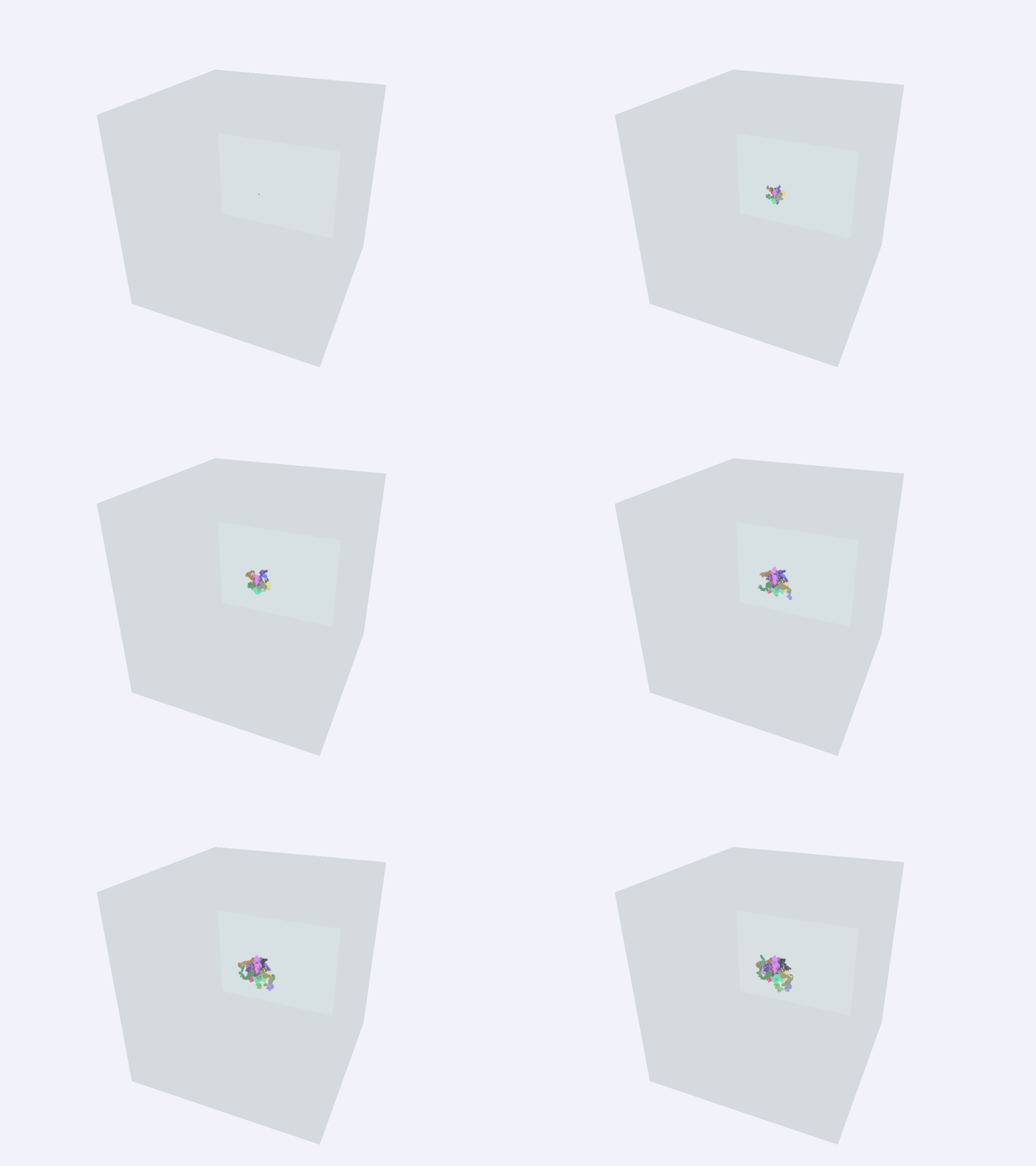
Brownian motion is the random motion of particles suspended in a medium. In this animation, path followed by 20 particles exhibiting brownian motion in 3D is plotted inside a containment box.
Importing necessary modules
import numpy as np
from scipy.stats import norm

from fury import actor, ui, window
Let’s define some variable and their description:
NUM_PARTICLES: number of particles whose path will be plotted (default: 20)
NUM_TOTAL_STEPS: total number of steps each particle will take (default: 300)
DELTA_SPEED: delta determines the “speed” of the Brownian motion. Increase delta to speed up the motion of the particle(s). (default: 1.8)
TIME_STEP: By default, it is equal to execution time / NUM_TOTAL_STEPS
BOX_SCALE: dimension size of the containment box boundaries (default: 20.0)
NUM_PARTICLES = 20
NUM_TOTAL_STEPS = 300
DELTA_SPEED = 1.8
TIME_STEP = 5.0 / NUM_TOTAL_STEPS
BOX_SCALE = 20.0
Generate the random 3D trajectory data and initialize the animation state.
state = {
    "counter_step": 1,
    "trajectories": [
        np.zeros((NUM_TOTAL_STEPS, 3), dtype=np.float32) for _ in range(NUM_PARTICLES)
    ],
    "colors": [np.random.rand(3).astype(np.float32) for _ in range(NUM_PARTICLES)],
    "line_actor": None,
}

scale_factor = DELTA_SPEED**2 * TIME_STEP
for p_idx in range(NUM_PARTICLES):
    current_pos = np.array([0.0, 0.0, 0.0], dtype=np.float32)
    state["trajectories"][p_idx][0] = current_pos

    for step in range(1, NUM_TOTAL_STEPS):
        displacement = norm.rvs(scale=scale_factor, size=3).astype(np.float32)
        current_pos += displacement
        state["trajectories"][p_idx][step] = current_pos
Creating a scene object and configuring the camera’s position
scene = window.Scene()
scene.background = (0.95, 0.95, 0.98)
Creating a container (cube actor) inside which the particle(s) move around
container_actor = actor.box(
    centers=np.array([[0.0, 0.0, 0.0]]),
    colors=np.array([[0.4, 0.6, 0.5, 0.2]], dtype=np.float32),
    scales=np.array([[BOX_SCALE, BOX_SCALE, BOX_SCALE]]),
)
scene.add(container_actor)
Initializing text box to display the name of the animation
tb = ui.TextBlock2D(
    text="Brownian Motion 3D",
    position=(30, 30),
    font_size=20,
    color=(0.1, 0.1, 0.1),
    bold=True,
    dynamic_bbox=True,
)
scene.add(tb)
The path of the particles exhibiting Brownian motion is updated here
To keep memory usage low, we avoid creating static multi-point actors upfront. Instead, the callback selectively slices the progressive steps from the pre-generated trajectory data block, replaces the previous frames line actor, and redraws the paths.
def update_brownian_motion(show_m):
    """Calculate active coordinate traces sequentially across execution frames."""
    step = state["counter_step"]
    if step >= NUM_TOTAL_STEPS:
        show_m.cancel_callback("BrownianSimulationLoop")
        return

    if state["line_actor"] is not None:
        scene.remove(state["line_actor"])

    active_paths = [state["trajectories"][i][:step] for i in range(NUM_PARTICLES)]

    state["line_actor"] = actor.line(
        active_paths, colors=state["colors"], material="basic"
    )
    scene.add(state["line_actor"])

    state["counter_step"] += 1
Initializing showm and camera parameters
show_m = window.ShowManager(scene=scene, size=(800, 800), title="Fury Brownian Motion")

camera = show_m.screens[0].camera
camera.local.position = (15.0, 20.0, 35.0)
camera.look_at((0.0, 0.0, 0.0))
Run every 30 milliseconds
show_m.register_callback(
    lambda: update_brownian_motion(show_m), 0.03, True, "BrownianSimulationLoop"
)

show_m.start()
Total running time of the script: (0 minutes 22.204 seconds)