
Note
Go to the end to download the full example code.
Line Projection Visualization#
This tutorial demonstrates how to use FURY’s actor.line_projection to visualize the planar projection of 3D lines onto a specified plane. This is useful for understanding how streamlines or trajectories intersect or relate to a given plane in 3D space.
We will create a scene with several colored lines, a square plane, and their projections onto the plane. The projected lines are rendered with customizable thickness, opacity, and outline for better visualization.
import numpy as np
from fury import actor, window
Define 3D lines and their colors. Each line is represented by two endpoints in 3D space.
lines = [
    np.asarray([[20, 20, -2], [20, 0, 3]]),
    np.asarray([[10, 0, -2], [0, 0, 3]]),
    np.asarray([[0, -20, -2], [0, -20, 3]]),
]

colors = [
    (1, 0, 0),  # Red
    (0, 1, 0),  # Green
    (0, 0, 1),  # Blue
]
Create a square plane actor. The plane will serve as the target for projecting the lines.
plane = actor.square(
    np.zeros((1, 3)),
    directions=(1, 0, 0),
    scales=(50, 50, 1),
)
Create the original line actor and the projected line actor. The projected lines are visualized using actor.line_projection.
line_actor = actor.streamlines(lines, colors=colors, thickness=10, opacity=0.25)

projection = actor.line_projection(
    lines,
    plane="XY",
    colors=colors,
    thickness=10,
    outline_thickness=3,
    outline_color=(0, 0, 0),
)
Create a scene and add the actors. The scene will display the plane, the original lines, and their projections.
Start the ShowManager to render the scene and allow interaction.
show_m = window.ShowManager(scene=scene, title="FURY Line Projection Example")
window.update_camera(show_m.screens[0].camera, None, scene)
show_m.start()
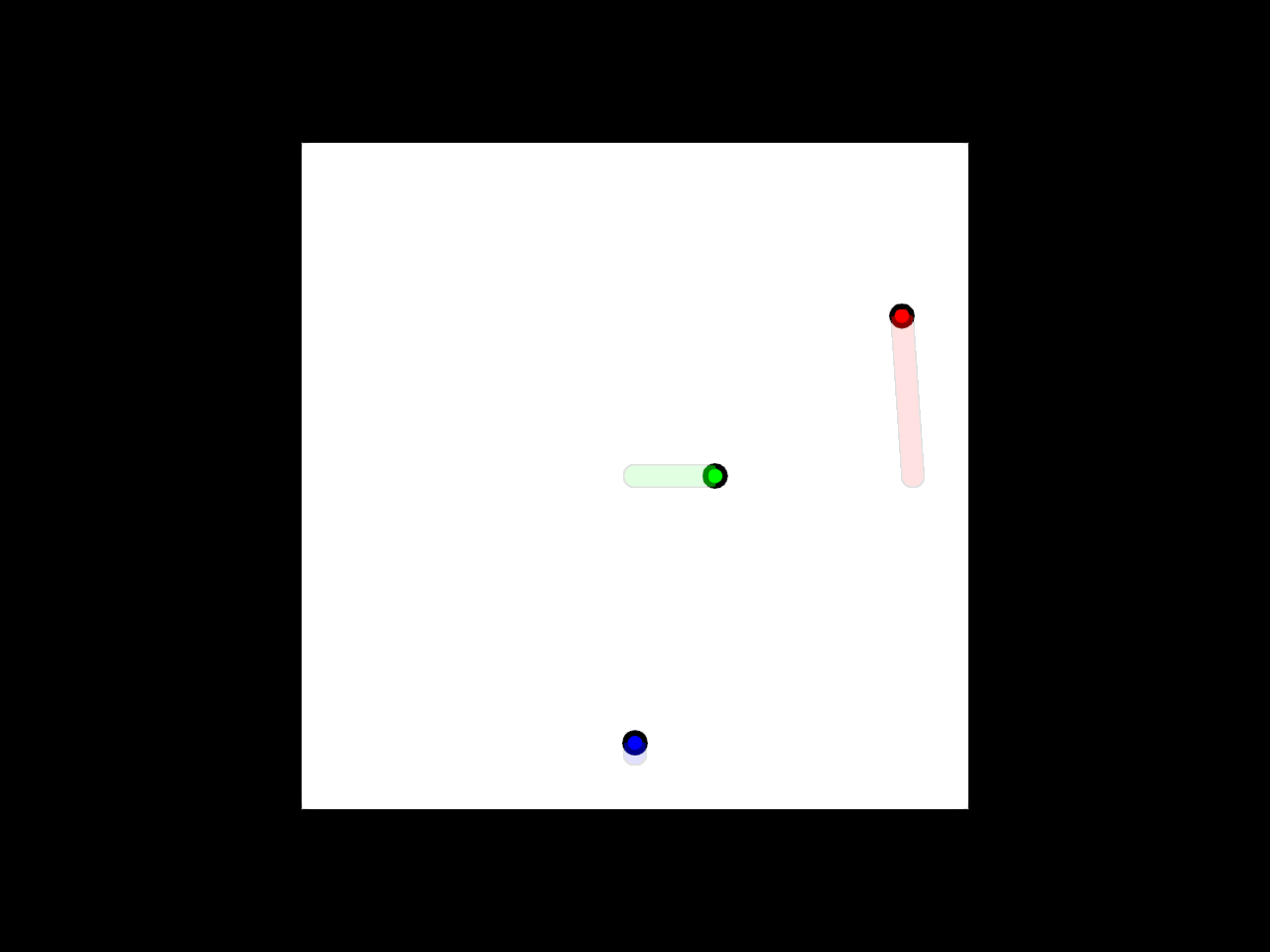
Total running time of the script: (0 minutes 0.682 seconds)