Note
Go to the end to download the full example code.
Card2D#
This example demonstrates the Card2D UI element.
First, let’s import the necessary modules.
from fury.ui import Card2D
from fury.window import Scene, ShowManager
from fury.data import fetch_viz_icons, read_viz_icons
Fetch the bundled icon set so we can use them as card images.
fetch_viz_icons()
Data size is approximately 12KB
Dataset is already in place. If you want to fetch it again please first remove the folder /Users/maharshigor/.fury/icons

({'icomoon.tar.gz': ('https://github.com/fury-gl/fury-data/raw/refs/heads/master/icons/icomoon.tar.gz', 'BC1FEEA6F58BA3601D6A0B029EB8DFC5F352E21F2A16BA41099A96AA3F5A4735')}, '/Users/maharshigor/.fury/icons')
Create a Scene.
scene = Scene()
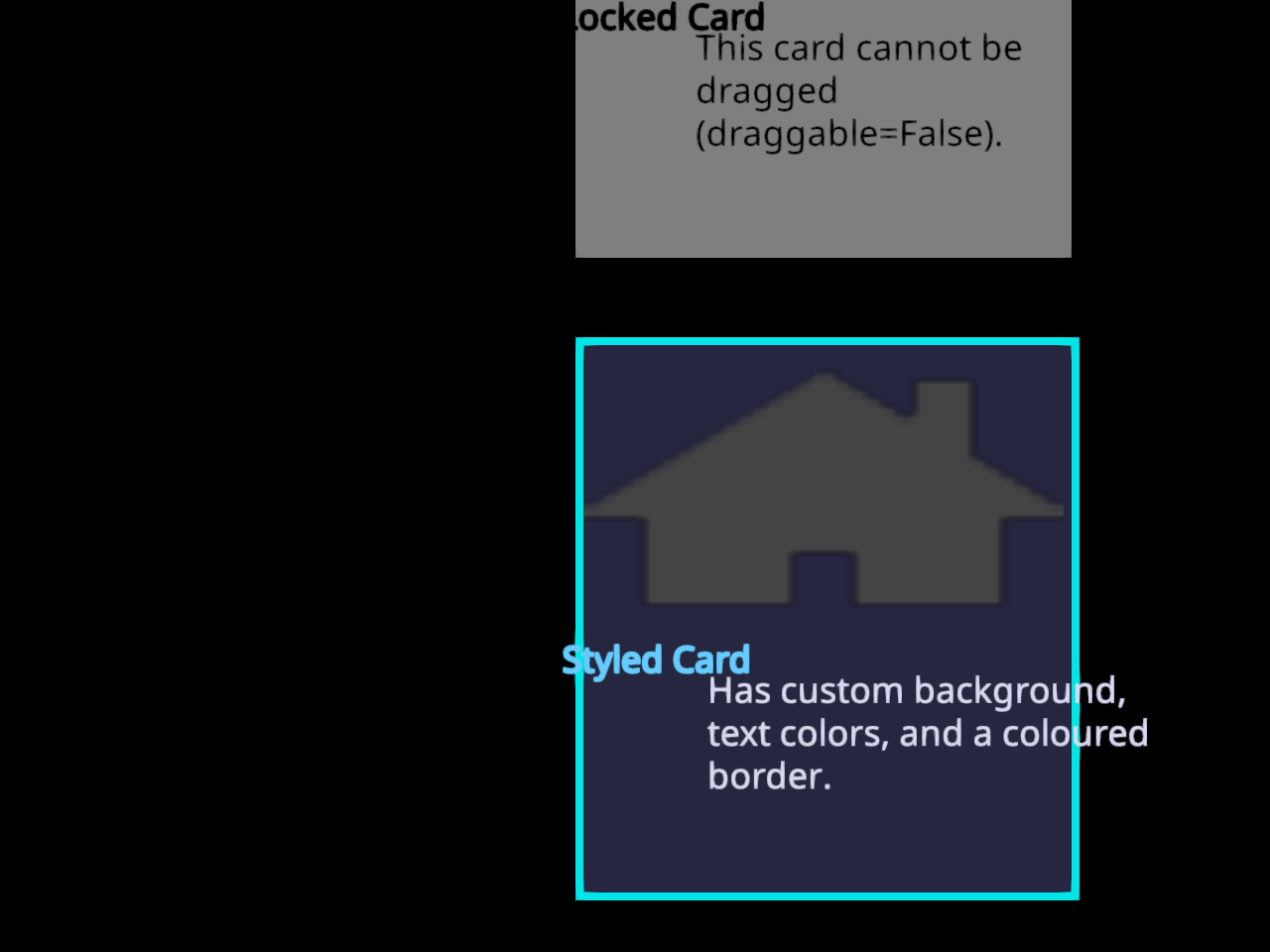
Card 1 – Custom colors and a border.
Demonstrates bg_color, title_color, body_color,
border_color, and border_width.
home_file_path = read_viz_icons(fname="home3.png")

card_1 = Card2D(
    home_file_path,
    title_text="Styled Card",
    body_text="Has custom background, text colors, and a coloured border.",
    position=(290, 420),
    size=(250, 280),
    bg_color=(0.15, 0.15, 0.25),
    title_color=(0.4, 0.8, 1.0),
    body_color=(0.85, 0.85, 0.95),
    border_color=(0.0, 0.9, 0.9),
    border_width=4,
)
scene.add(card_1)
Card 2 – Non-draggable card.
Setting draggable=False locks the card in place.
like_file_path = read_viz_icons(fname="like.png")

card_2 = Card2D(
    like_file_path,
    title_text="Locked Card",
    body_text="This card cannot be dragged (draggable=False).",
    position=(290, 100),
    size=(250, 280),
    draggable=False,
)
scene.add(card_2)
Create and start the ShowManager.
current_size = (830, 730)
show_manager = ShowManager(
    scene=scene,
    size=current_size,
    title="FURY Card2D Example",
)
show_manager.start()
Total running time of the script: (0 minutes 0.251 seconds)