
Note
Go to the end to download the full example code.
Streamlines: Simple ROI Mask#
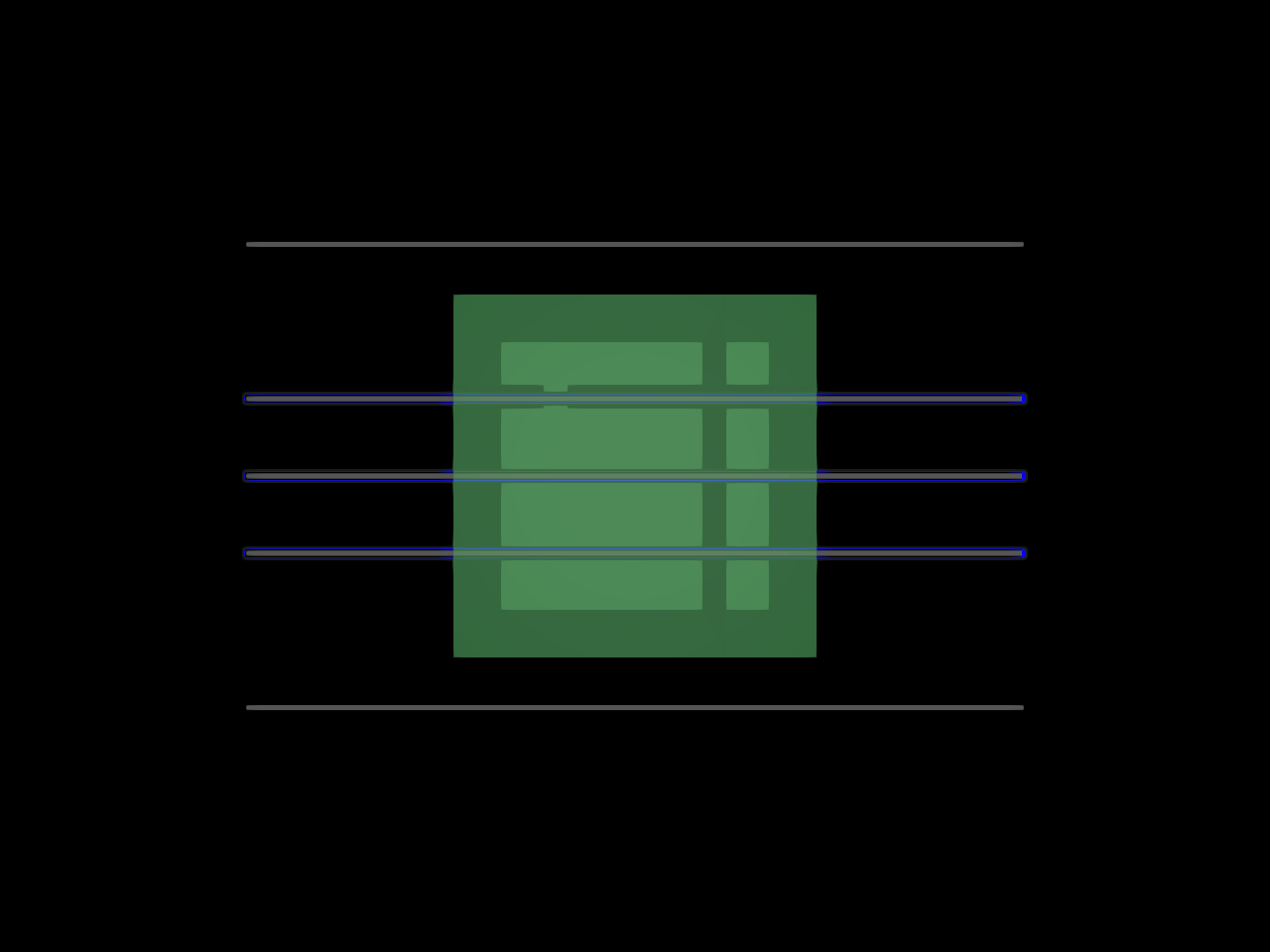
Build a small bundle of streamlines and a tiny ROI mask. Streamlines passing through the ROI are blue; the rest are gray.
import numpy as np

from fury import actor, window
Create a handful of straight streamlines with multiple points.
x_coords = np.linspace(-5.0, 5.0, 11, dtype=np.float32)
lines = np.stack(
    [
        np.column_stack(
            [x_coords, np.full_like(x_coords, -1.0), np.zeros_like(x_coords)]
        ),
        np.column_stack(
            [x_coords, np.full_like(x_coords, 0.0), np.zeros_like(x_coords)]
        ),
        np.column_stack(
            [x_coords, np.full_like(x_coords, 1.0), np.zeros_like(x_coords)]
        ),
        np.column_stack(
            [x_coords, np.full_like(x_coords, 3.0), np.zeros_like(x_coords)]
        ),
        np.column_stack(
            [x_coords, np.full_like(x_coords, -3.0), np.zeros_like(x_coords)]
        ),
    ],
    axis=0,
).astype(np.float32)
Define a small ROI mask (all ones) and place its origin explicitly.
mask_shape = (9, 9, 9)
mask = np.zeros(mask_shape, dtype=np.uint8)
mask[3:7, 3:7, 3:7] = 1  # A small cube in the center
roi_origin = (-5.0, -5.0, -5.0)  # voxel (0,0,0) is at (-5, -5, -5) in world coords
Build actors
all_lines = actor.streamlines(
    lines,
    colors=(0.7, 0.7, 0.7),
    thickness=2.0,
    opacity=0.2,
)

roi_filtered = actor.streamlines(
    lines,
    colors=(0.0, 0.0, 1.0),
    thickness=4.0,
    outline_thickness=1.5,
    outline_color=(0.1, 0.1, 0.1),
    roi_mask=mask,
    roi_origin=roi_origin,
    opacity=1.0,
)

roi_surface = actor.contour_from_roi(
    mask,
    color=(0.0, 0.8, 0.3),
    opacity=0.4,
)
roi_surface.translate(roi_origin)
Create a scene and show
scene = window.Scene()
scene.add(all_lines)
scene.add(roi_filtered)
scene.add(roi_surface)

show_manager = window.ShowManager(
    scene=scene, title="FURY Simple Streamline ROI", size=(800, 600)
)
window.update_camera(show_manager.screens[0].camera, None, scene)
show_manager.start()
Total running time of the script: (0 minutes 0.456 seconds)