
Note
Go to the end to download the full example code.
3D Text Actor#
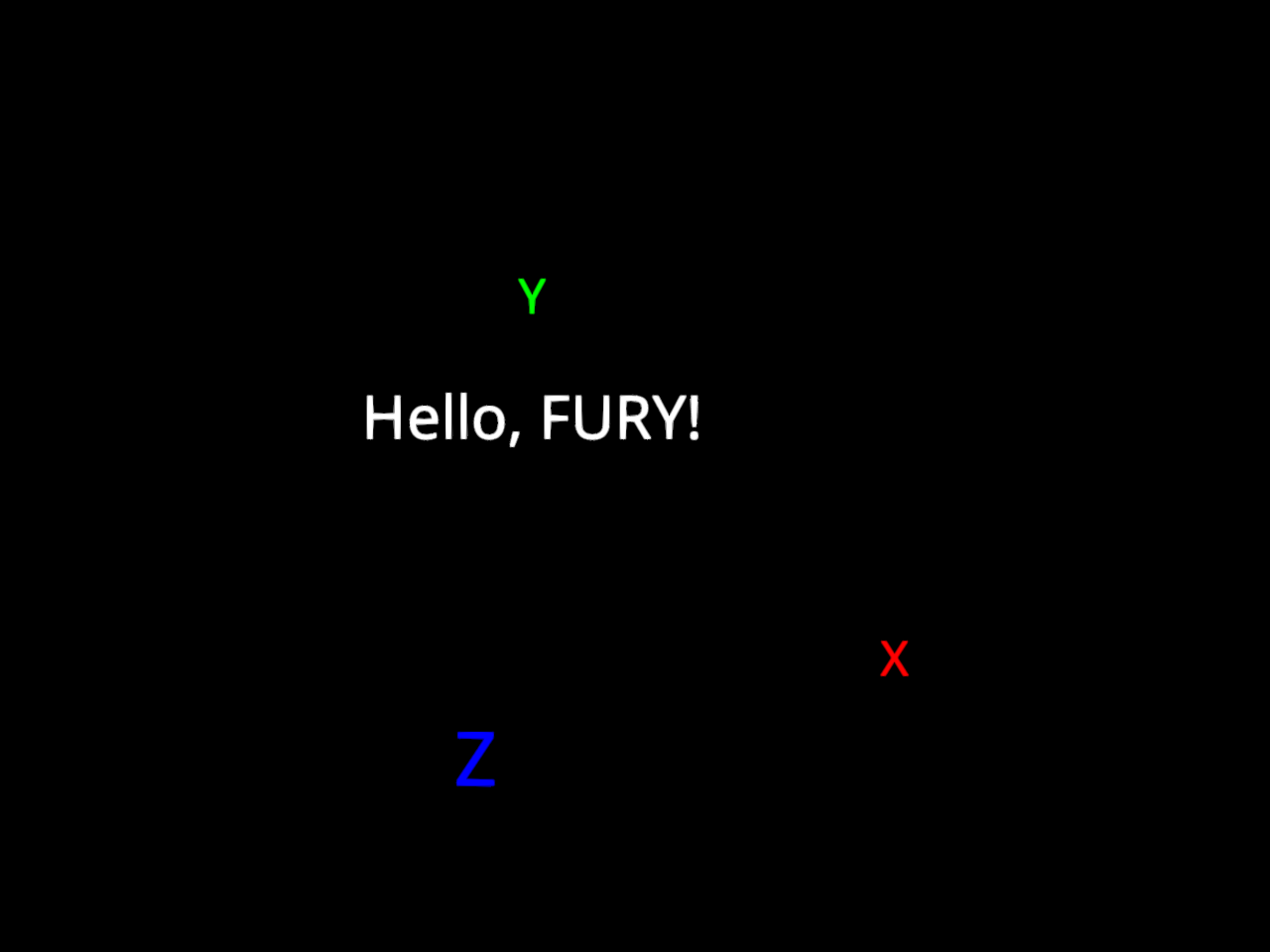
This example shows how to use actor.text to render single and multiple
3D text objects in a scene.
First, let’s import the necessary modules.
from fury import actor, window
Creating a Scene
scene = window.Scene()
Render a single text actor.
single = actor.text(
    "Hello, FURY!",
    colors=(1.0, 1.0, 1.0),
    position=(0.0, 2.0, 0.0),
    font_size=0.5,
)
scene.add(single)
Render multiple text actors with per-item positions and colors.
labels = ["X", "Y", "Z"]
positions = [(3.0, 0.0, 0.0), (0.0, 3.0, 0.0), (0.0, 0.0, 3.0)]
colors = [(1.0, 0.0, 0.0), (0.0, 1.0, 0.0), (0.0, 0.0, 1.0)]

axes_labels = actor.text(
    labels,
    colors=colors,
    position=positions,
    font_size=0.4,
)
scene.add(axes_labels)
Show the scene.
show_manager = window.ShowManager(scene=scene, size=(800, 600))
show_manager.start()
Total running time of the script: (0 minutes 0.351 seconds)